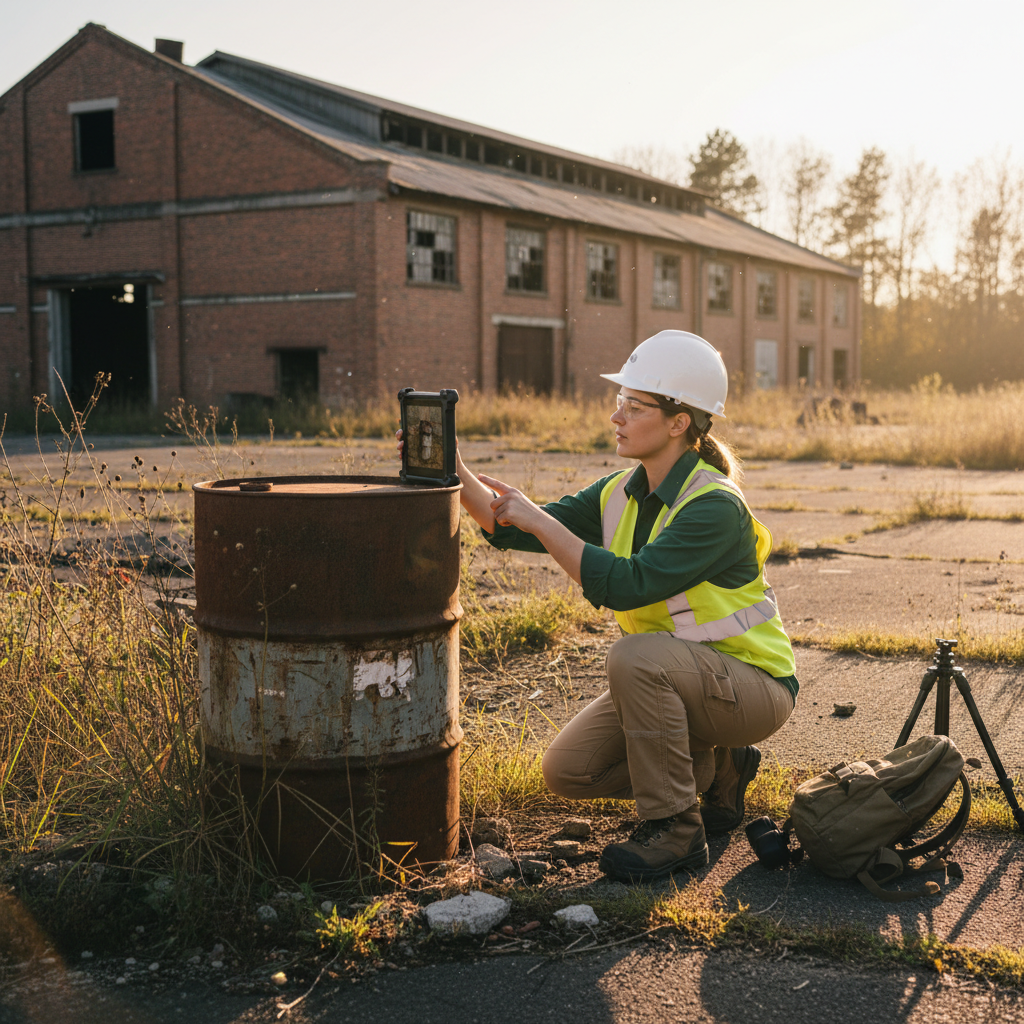
Phase I Environmental Site Assessments under ASTM E1527-21 don't require paper. They require a defensible record. Most environmental consulting firms still run them on paper anyway, then spend hours back at the office transcribing notes, organizing photos, and reformatting findings into a deliverable.
This guide walks through a fully paperless Phase I ESA workflow — from records review through ASTM-compliant report — and shows where digital tools eliminate the most error-prone steps.
What ASTM E1527-21 actually requires
The standard requires a good faith inquiry into Recognized Environmental Conditions (RECs), Historical RECs, Controlled RECs, and de minimis conditions on a property. For the field component, that means:
- A site reconnaissance documenting current conditions, including photographs
- Interviews with knowledgeable parties (owner, occupants, government officials)
- Review of records and historical sources
- An opinion from an Environmental Professional
Nothing in the standard says any of that has to be on paper. The deliverable has to be defensible — not paper.
Pre-field setup
Before the site visit:
- Project setup with the right form templates. A standard Phase I ESA reconnaissance form covers building exteriors, interior areas, surrounding properties, and specific REC checkpoints (USTs, ASTs, drains, stained soil, dumping, etc.).
- Digital records review. Sanborn maps, aerial imagery, regulatory database results, EDR or equivalent reports — all loaded onto the field tablet so the recon visit is informed.
- Interview list and contact info. Owner, current occupant, any past occupant willing to talk, local fire marshal, local environmental health department.
- GPS basemap of the parcel. Boundaries, access points, planned reconnaissance route.
Field reconnaissance — the paperless workflow
Walk the property with the digital form open. The workflow:
1. Capture everything as records, not notes
Every observation that could be a REC gets a record — UST vent pipe, a stained area on a concrete floor, a 55-gallon drum in a corner, a floor drain, an outdoor pad with an unidentified fitting. Each record gets:
- A photograph, automatically GPS-tagged and direction-tagged
- A narrative description
- A REC classification (REC, HREC, CREC, de minimis, or "to investigate")
- An interior or exterior tag with location detail
2. Use controlled vocabularies
Phase I reports get reviewed by other environmental professionals. Free-text descriptions don't aggregate well, and they invite inconsistency between recorders. Use dropdown lists for common categories:
- Equipment type (UST, AST, hydraulic lift, transformer, etc.)
- Stain type (oil-like, fuel-like, unknown)
- Receptacle condition (intact, deteriorating, leaking)
3. Capture interviews in-line
Interview responses get recorded as notes attached to the project record, with date, interviewee, and contact info. Don't rely on memory or a separate notebook — interview notes and reconnaissance findings need to cross-reference cleanly in the report.
4. Photograph systematically
A defensible Phase I has photographs of:
- Every building elevation
- Every interior area where activities occur
- Every observation flagged as a possible REC
- Surrounding properties, with attention to upgradient/downgradient hydrology
- Vehicle/storage staging areas, even if "clean"
Every photograph gets GPS coordinates, direction, and a description tied to a record. Manual photo logs are where Phase I deliverables fall apart.
Post-field — what changes when there's no paper
The post-field workflow that consumes the most time on paper-based Phase I projects:
- Sorting and renaming photos
- Transcribing recon notes into the report
- Cross-referencing photos to findings in the report
In a paperless workflow, all three are eliminated:
- Photos are already organized by record and labeled with metadata
- Recon notes are already structured data, exportable to CSV or directly into the report template
- Cross-references are automatic — every photo knows which record it belongs to
This typically saves 4–8 hours per Phase I, which is meaningful when a firm runs 20+ Phase I projects per year.
ASTM-compliant deliverable assembly
The final report still has to follow E1527-21 structure:
- Executive summary
- Site description
- User-provided information
- Records review
- Site reconnaissance
- Interviews
- Findings (RECs, HRECs, CRECs, de minimis)
- Opinion of the Environmental Professional
- Conclusions
- Limitations and qualifications
The paperless workflow doesn't change the report structure — it changes the data flow into the report. Recon findings, interviews, and photographs all flow from structured records into the appropriate report sections, with cross-references intact.
Multi-property portfolios
For firms running Phase I work on portfolios (national bank ESA programs, multifamily acquisitions, retail rollups), the savings compound. A consistent digital workflow lets a firm:
- Run multiple recon visits in parallel without losing data integrity
- Maintain a single master photo and findings library across the portfolio
- Generate consistent deliverables from project to project — important for client review
What to look for in a Phase I ESA tool
The capabilities that actually matter for paperless Phase I work:
- Phase I-specific form templates (not generic data collection)
- Offline operation (some Phase I sites have no signal)
- Automatic GPS, direction, and date on every photo
- Interview note capture tied to projects
- Custom REC categorization with controlled vocabularies
- Export to your firm's report template format
- Multi-user review and QA workflows
Generic tools (Survey123, Fulcrum, KoBoToolbox) can be configured for Phase I work but require significant in-house template development. Purpose-built tools (FieldTap and others) ship with these capabilities out of the box.
Related reading
- Digital Field Recording for CRM Archaeology — Buyer's Guide — the buyer's framework applies similarly to ESA tooling
- OSHA-Compliant Field Documentation for Environmental Consulting
- Best Section 106 Software for CRM Firms (2026) — adjacent industry, similar tooling tradeoffs
If your firm is running Phase I ESA work and the photo-management and transcription steps are eating hours per project, that's the workflow FieldTap eliminates. Start a free 14-day trial.
Ready to put this into practice?
Start a 14-day free trial — no credit card required.
Start free trial